Learn today what you will do on your first day at work.
MisterRoot is a cybersecurity training site for people building or growing a security career. 84 courses across 14 paths, from information security and SOC analysis to digital forensics, cloud and AI security, then you apply what you learned on realistic alerts and crisis tabletops.
No credit card needed. The Easy level is always free.
- courses
- 84
- learning paths
- 14
- SOC Lab cases
- 21
- tabletop scenarios
- 17
From the fundamentals to AI security: 14 learning paths.
Each path is an ordered set of courses for one role. Lessons are 5-10 minute cards, with quick checks, step-by-step figures and screens from real tools. Finish each course with a quiz, and the path with a verifiable certificate in your name.
- Incident Response Foundations6 courses · Easy
- SOC Analyst7 courses · Medium
- Incident Response Lead6 courses · Advanced
- SOC Manager and Crisis Communications5 courses · Advanced
- Detection and SIEM Engineer6 courses · Medium
- Information Security Specialist6 courses · Medium
- Threat Hunter6 courses · Advanced
- AI Security Foundations6 courses · Medium
- AI Incident Response and Governance6 courses · Advanced
- Cybersecurity Foundations6 courses · Easy
- Digital Forensics (DFIR) Specialist6 courses · Advanced
- Malware Analyst6 courses · Advanced
- Cloud Security6 courses · Medium
- Vulnerabilities and Security Architecture6 courses · Medium
Try a lesson now.
No sign-up needed: three cards from a real lesson. A short idea, a decision question, then a log line to find. You cannot skip without answering; every lesson works this way.
What makes an email suspicious?
A phishing email rarely gives itself away with one sign; it is the combination that matters. An analyst checks the headers first, then the link.
- The sender domain looks like yours but is not:
contoso-hr.example - Urgency: "Confirm by 5 pm today or payroll will not go out"
- The link does not go where its text says
At work, nobody expects you to hack a machine.
Most security training has you break into vulnerable machines. A SOC, an incident response team or an information security office expects something else: analyse what the security tools show you, read the logs, interpret the evidence, talk to the right team and make the call on time. MisterRoot exists to train exactly that.
- Analysis with real toolsSIEM searches, EDR process trees, email headers, threat intel.
- Reading logs and evidenceFinding the right line in the noise and building a timeline.
- Working with other teamsAsking identity, network, legal, compliance and comms for the right thing at the right time.
- Decisions and communicationWeighing disruption against risk and briefing management and legal correctly.
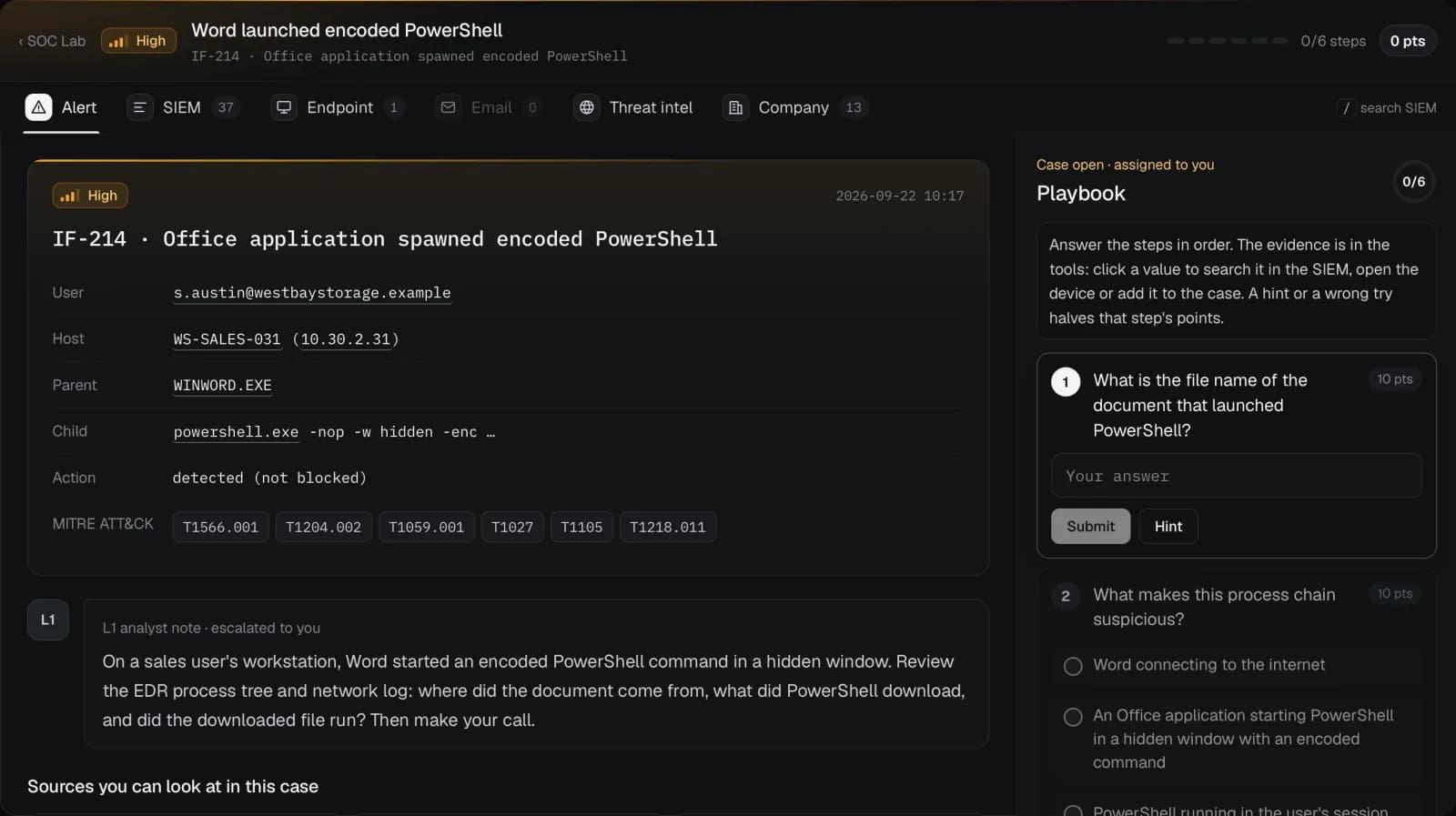
Close an alert the way an analyst does.
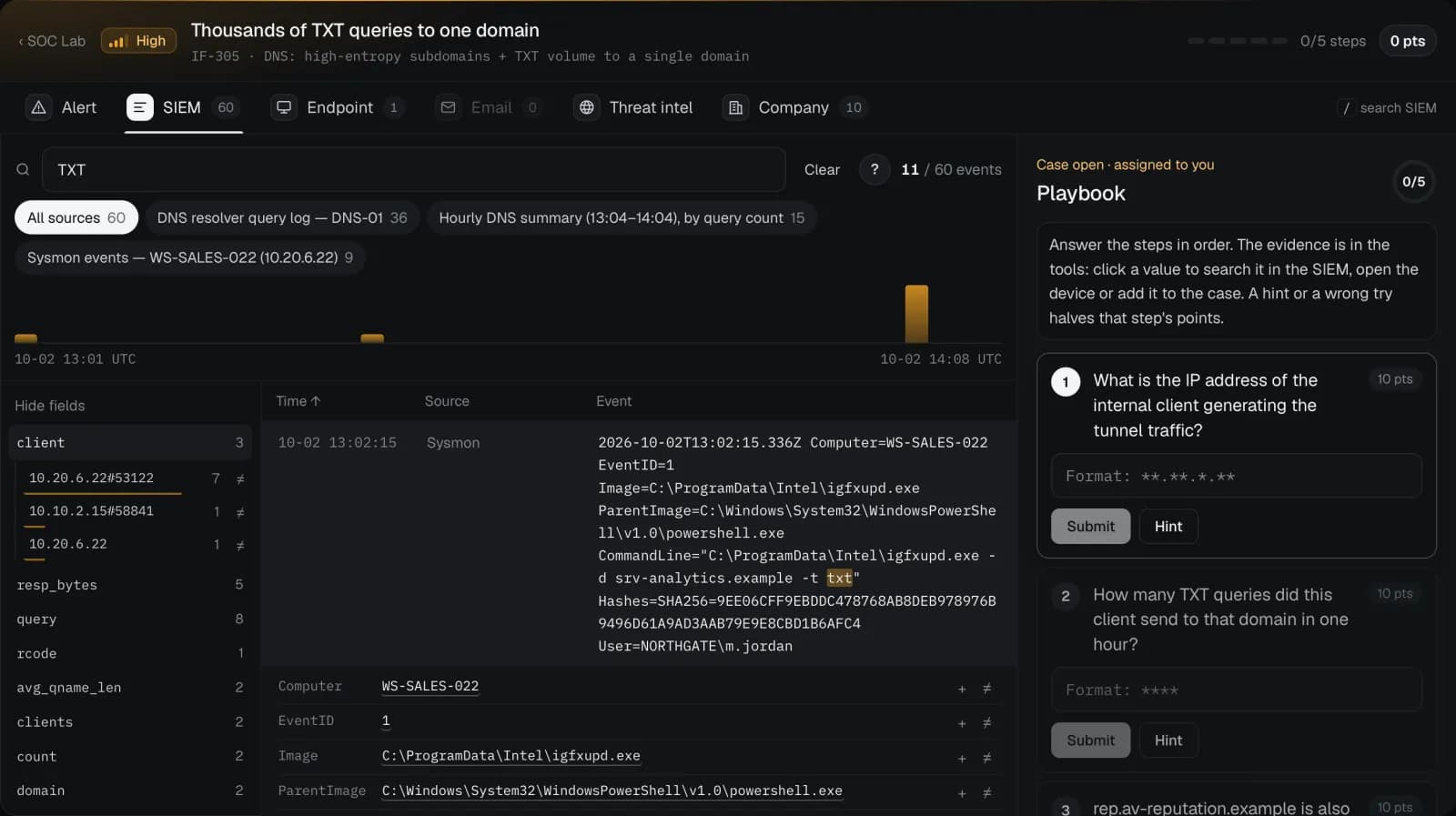
Pick an alert from the queue. Search the SIEM, open the process tree on the endpoint, look up the indicator in threat intel and find the person in the company directory. Answer the playbook steps and isolate the device if you need to.
- 17 alerts plus challenges, with harmless noise mixed into every case
- A wrong response costs points: needless disruption is a mistake too
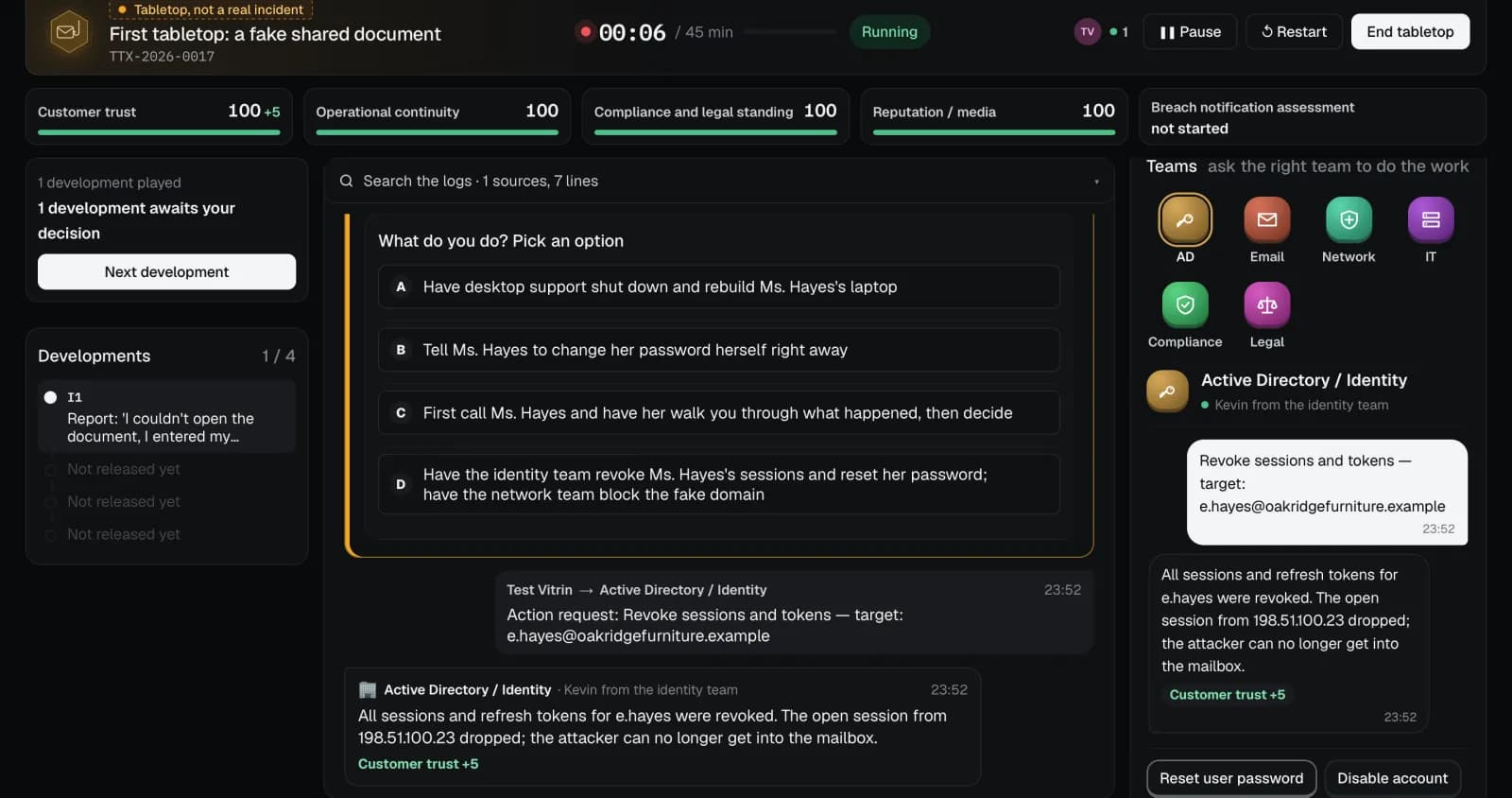
Make the right call, in the right order, during a crisis.
The incident grows one development at a time. At each step you make a call and talk to the teams: have identity revoke the sessions, have network block the domain. Wait too long and you see the result; at the end you get a score and a debrief that explains it.
- Teams reply based on the stage; harmful moves are listed separately
- The legal notification clock follows your country (KVKK, GDPR or US rules)
How it works
Watching videos only gets you so far; knowledge sticks when you make a call and see what happens. Here every step has a consequence: the right move earns points, lost evidence and needless disruption cost points, and the debrief tells you why.
- 1Sign up and pick your countryLegal content and language follow it. You can also use Google.
- 2Finish the getting-started tourFirst course, first tabletop, first SOC shift: about half an hour.
- 3A little every dayStreaks, the incident of the week, the leaderboard and path certificates.
Start free, go Pro when you are ready.
Free
$0 forever
- All Easy ready-made scenarios, unlimited
- SOC Lab: every Easy alert, unlimited
- The first course of every learning path
- Incident of the week: open that week, even if it is Pro content
Pro
$19.99 / month
or $149.99 a year
- All ready-made scenarios, including Medium and Advanced
- All learning paths and certificates
- SOC Lab: every alert and challenge
- New scenarios and cases every month
An Enterprise plan for teams is coming soon: AI scenarios tailored to your organisation, branded formal reports and facilitated team tabletops.
Frequently asked questions
What is included in the Free plan?
Every Easy tabletop scenario and SOC Lab alert, the first course of every learning path and the incident of the week (open that week even if it is Pro content). No time limit and no credit card.
Can I start cybersecurity from scratch?
Yes. The Cybersecurity Foundations path starts with networks, operating systems, the command line and reading logs, and Easy scenarios and alerts tell you where to look at each step. Hover any term in a lesson to see what it means.
Are there CTFs or vulnerable machines?
No, on purpose. The job expects analysis, log reading, coordination and decisions, so that is what we train. You do learn attack techniques, but from the defender's side: what they look like, how to detect them and how to respond.
Does it touch real systems?
No. Everything is simulated: logs, devices and people are fictional, and values come only from documentation-only IP ranges and .example domains. No scanning or attack tool ever runs.
Do you give certificates?
When you finish a learning path you get a dated certificate in your name that anyone can verify, and you can share it on LinkedIn. It is a certificate of completion, not an official professional certification.
Can I cancel any time?
Yes, from your account page. Cancellation takes effect at the end of the paid period; Pro stays on until then and the subscription does not renew. Because access to digital content starts immediately, fees already paid are not refunded (except where the law requires it).
Which languages? Does the legal part fit my country?
Turkish and English. You choose your country when you sign up, and the legal part, such as breach notification and deadlines, follows it (Türkiye, the EU, the US or general).